
Request
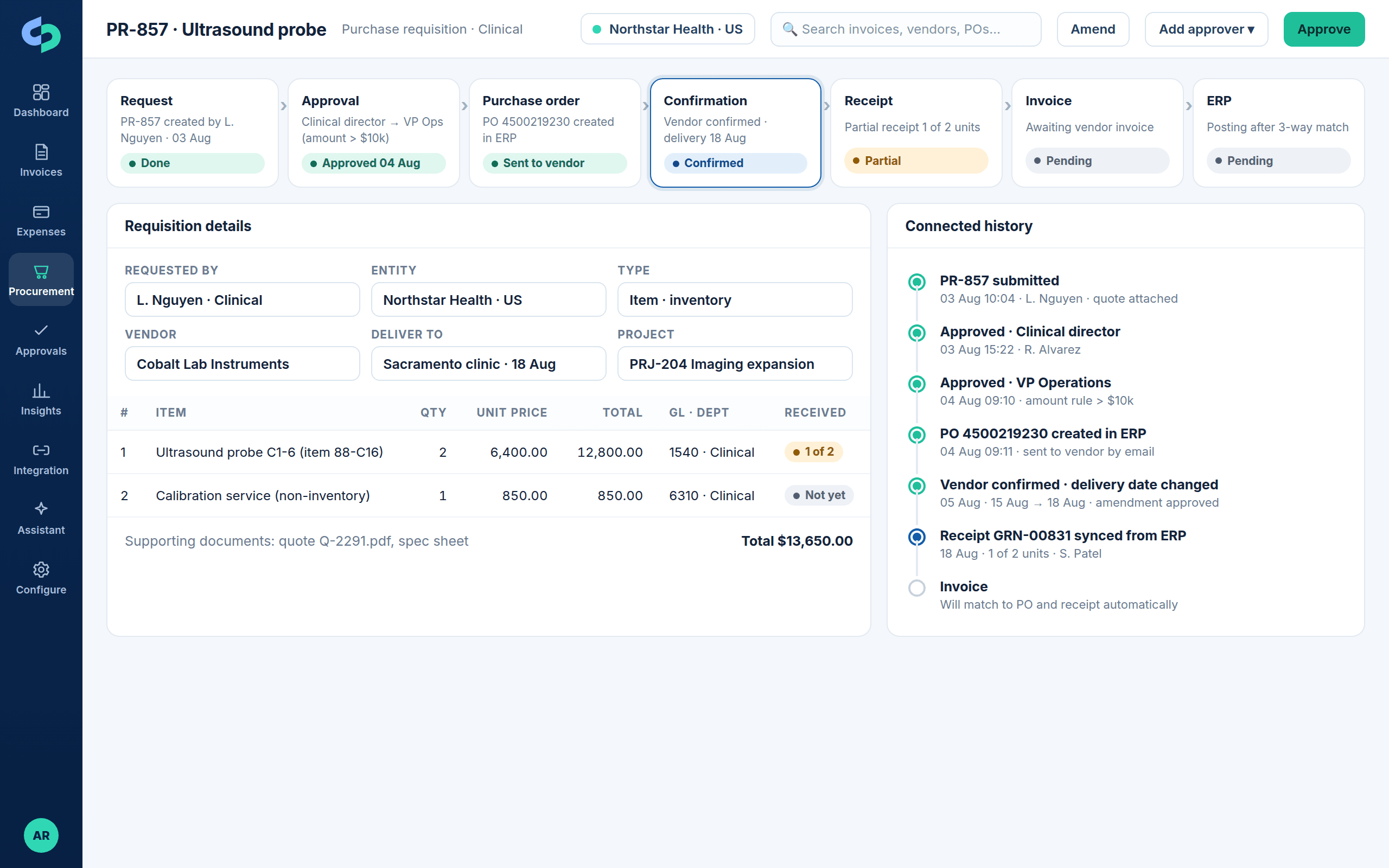
A purchase request or requisition for items, categories, services or non-inventory purchases, with quotes and supporting documents.
Procurement
Stream Procurement covers purchase requests and requisitions, configurable request and PO approvals, PO creation in the ERP, confirmation and amendment handling, partial and full receipts, two-way and three-way matching and the invoice that follows, with every step visible and connected.
Deeply connected to the ERPs finance teams run
The process
Each stage is a screen in Stream, not a concept. The request, the PO, the receipts and the invoice stay linked, so anyone can answer where a purchase is and what is still owed.
A purchase request or requisition for items, categories, services or non-inventory purchases, with quotes and supporting documents.
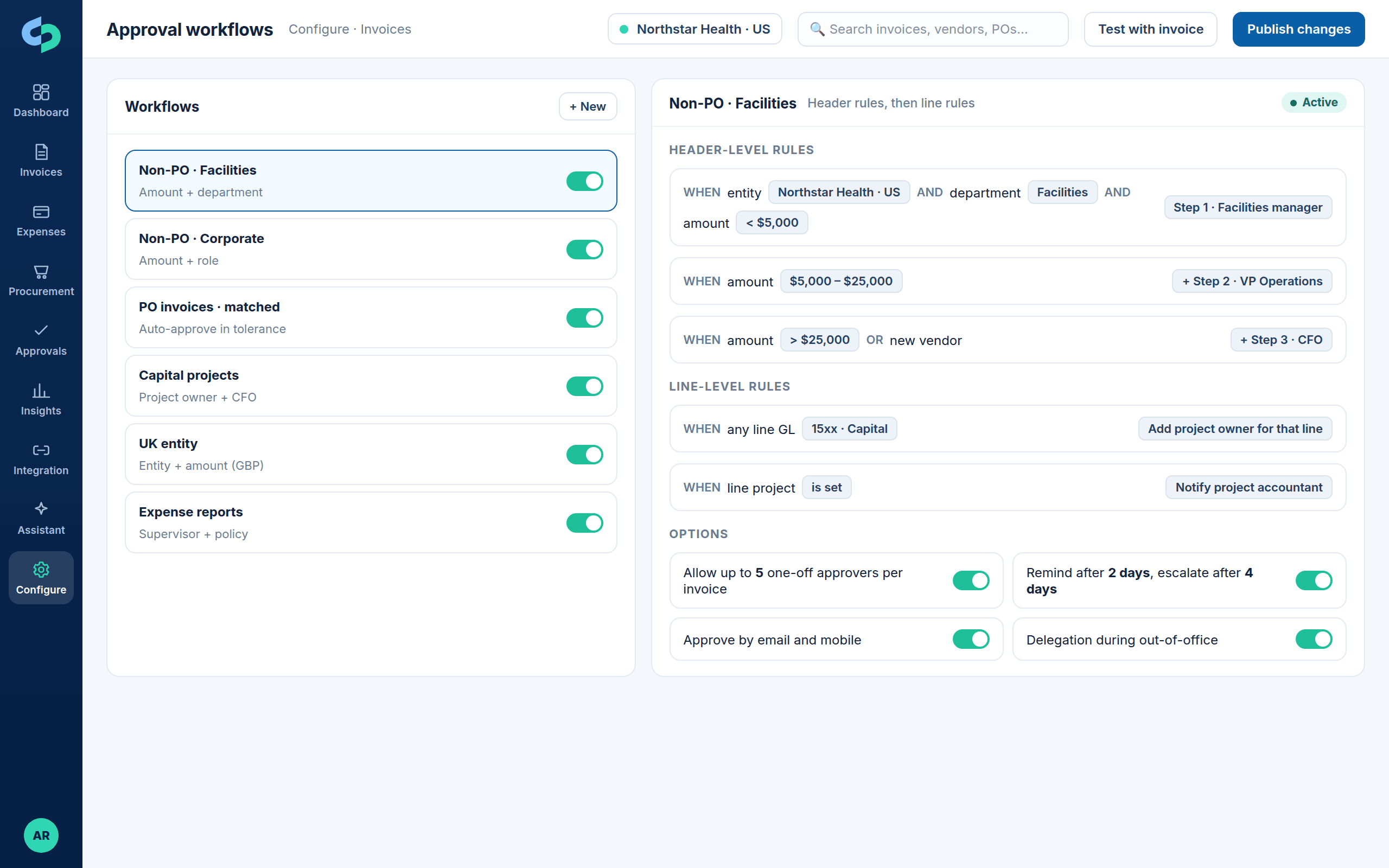
Configurable request approvals by amount, department, entity, project and role, with one-off approvers when needed.
The approved request creates a purchase order in the ERP (standard, blanket or release) and sends it to the vendor.
Vendor confirmation, date or quantity amendments and change orders tracked; amendments re-route through approval rules.
Partial and full receipts recorded in the ERP or Stream and synchronized back to the request and PO.
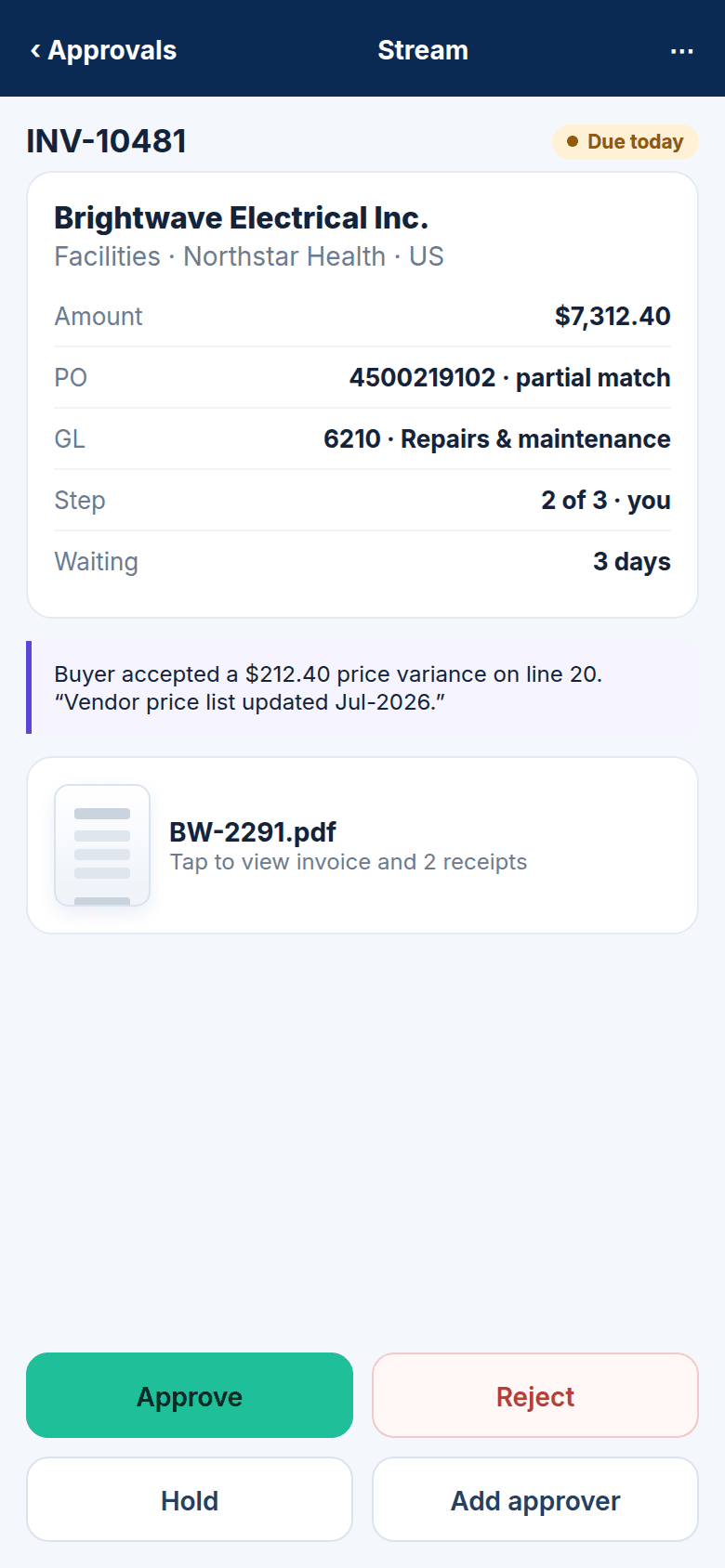
The vendor invoice matches to PO and receipt lines with tolerances; discrepancies route to the buyer.
The matched, approved invoice posts to the ERP with the PO reference; payment status flows back.
Capabilities, shown
Request
Requesters choose items, categories, services or non-inventory purchases, attach quotes and specs, and submit. Approval routes by amount, department, entity, project and role, with additional or one-off approvers and a full approval history on the request.
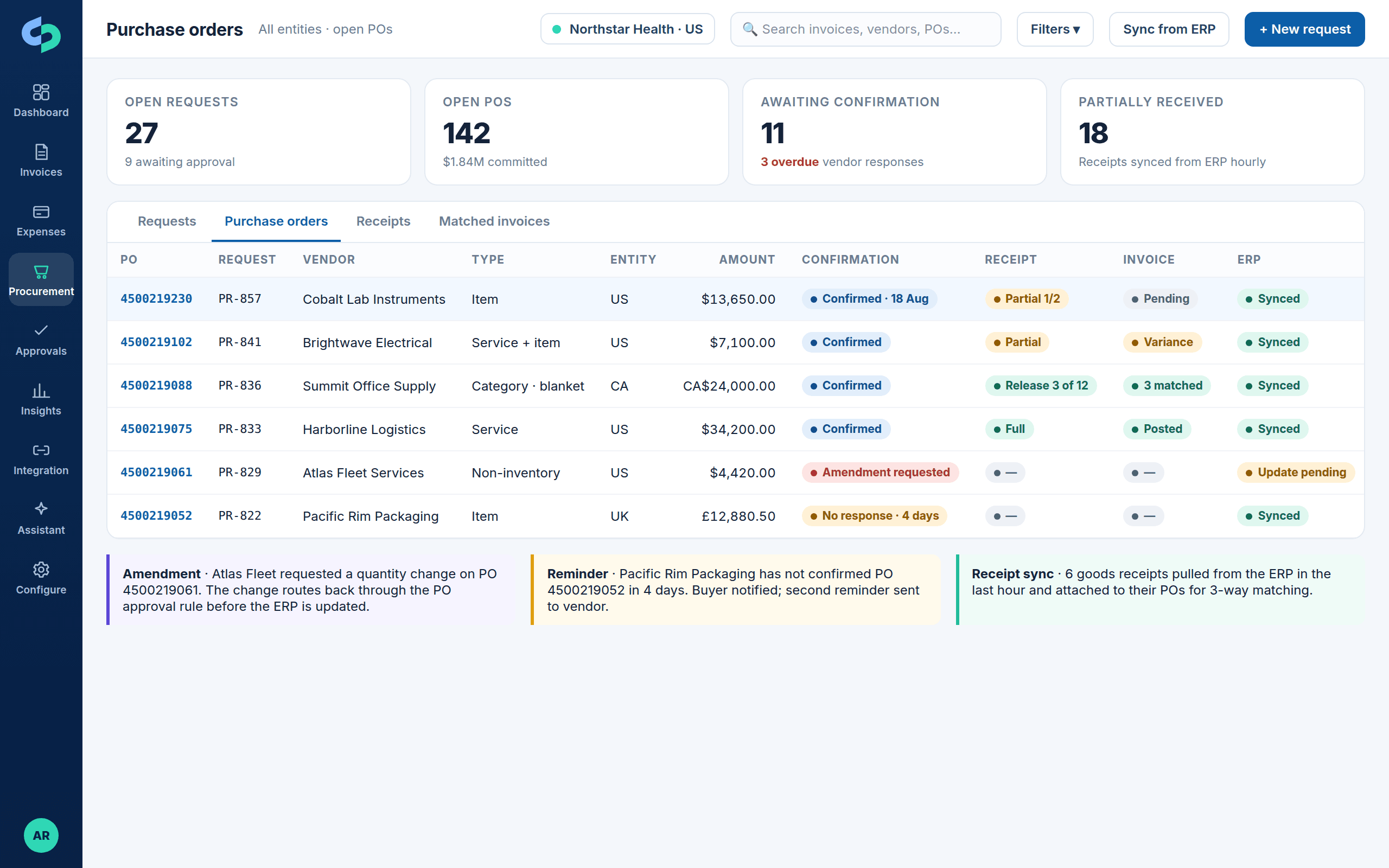
Order
Approved requests become purchase orders in the ERP: standard, blanket or release. Stream sends the PO to the vendor, tracks confirmation, reminds when it is overdue, and handles date, quantity and price amendments through your rules before the ERP is updated.
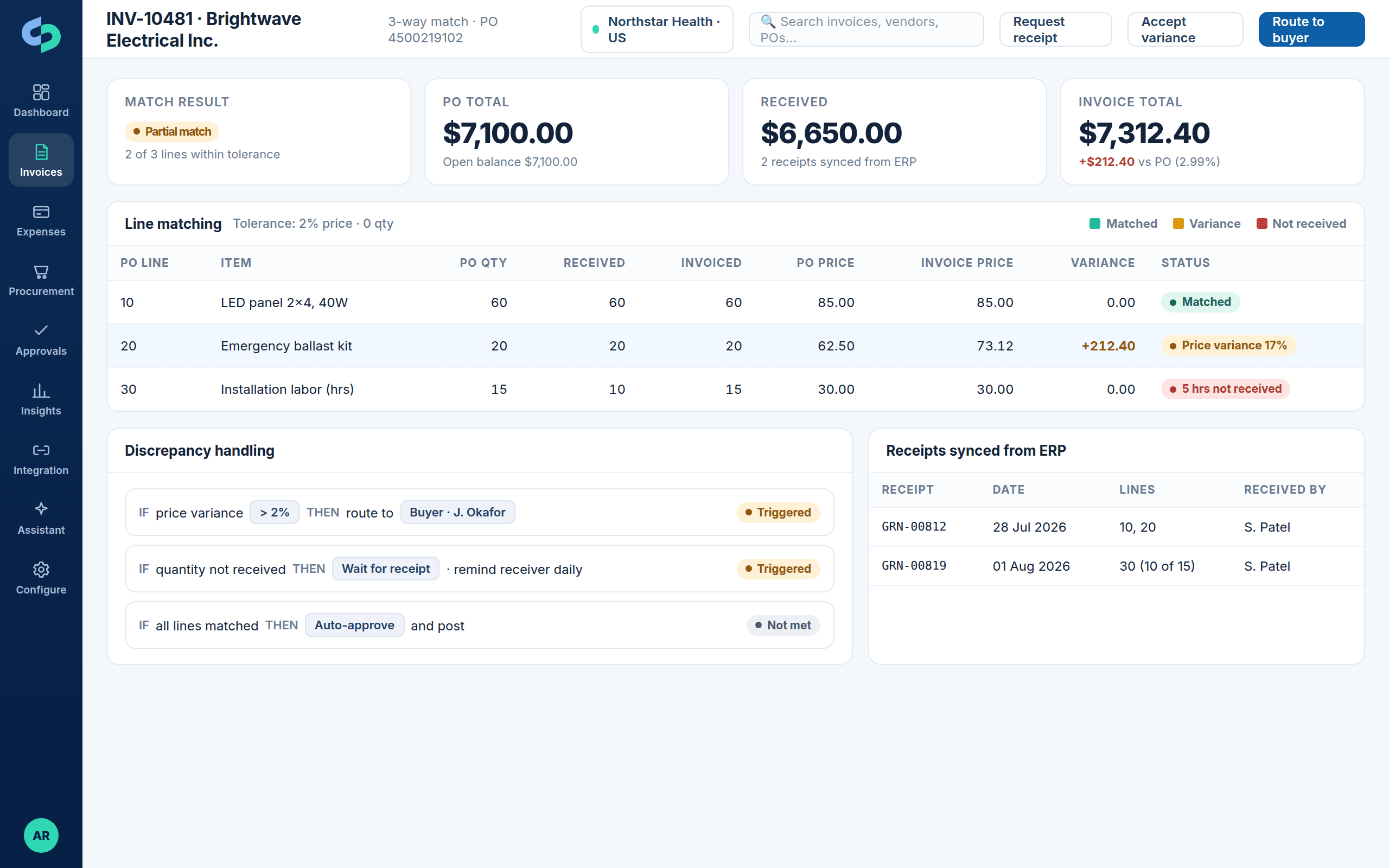
Receive and match
Receipts recorded in the ERP (including D365 product receipts) synchronize back to Stream and attach to the PO. When the invoice arrives it matches line by line with price and quantity tolerances; variances and missing receipts route to the buyer or receiver.
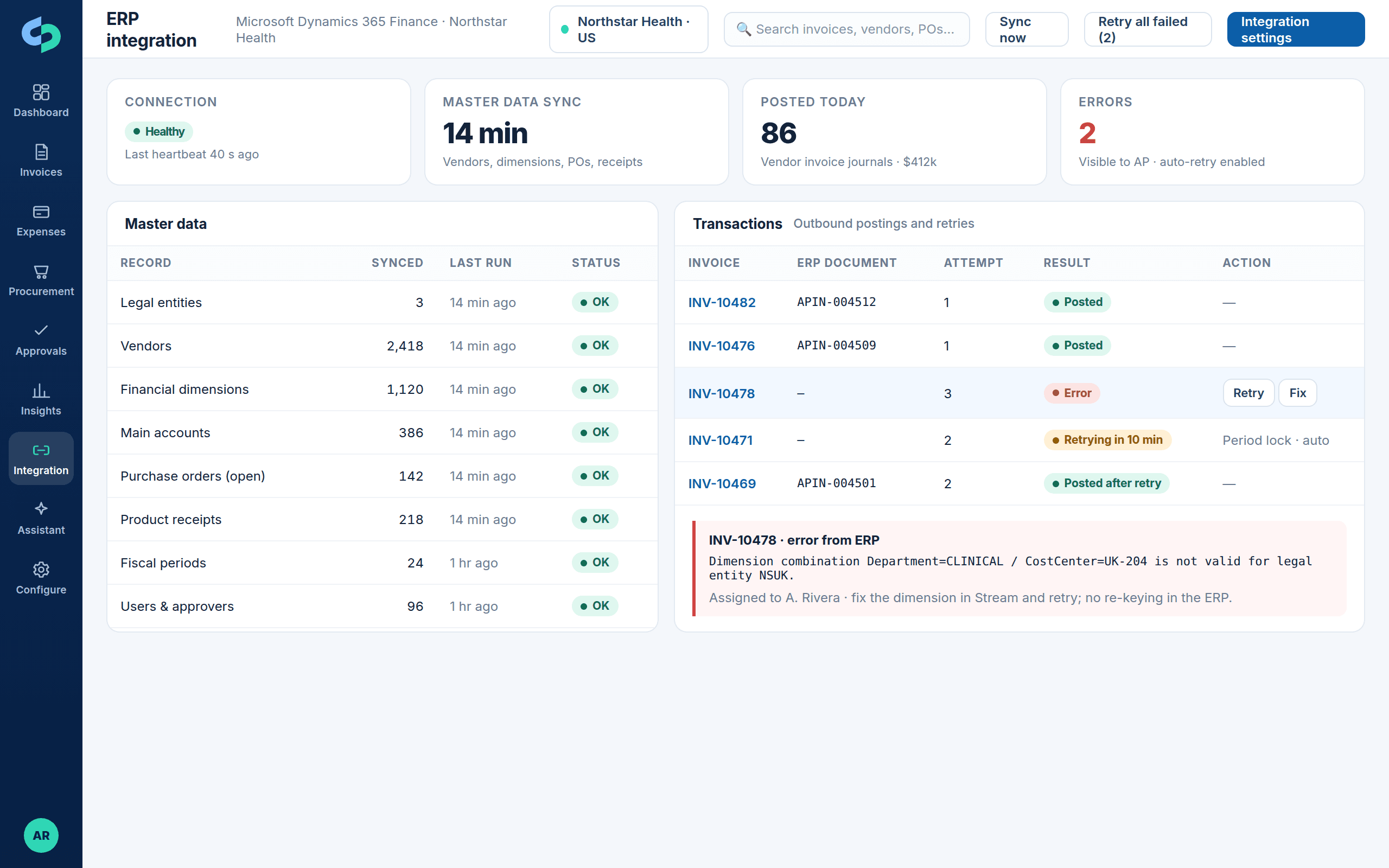
Monitor
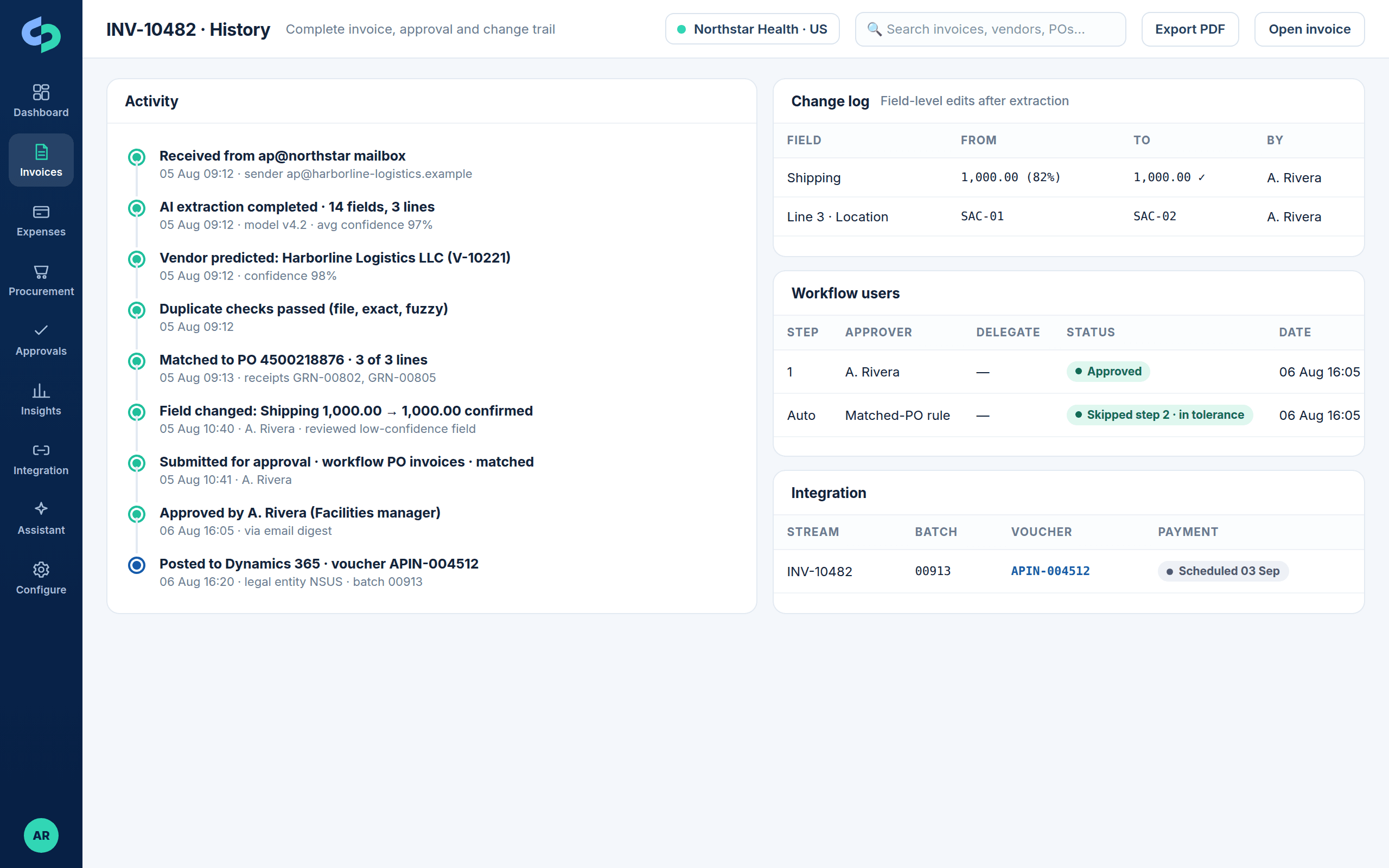
PO creation, updates and invoice postings are logged with every attempt. Errors show the ERP message, are assigned and retried in Stream. The request, PO, receipts, invoice and payment appear as one connected history.
Also in procurement
Questions
Yes. Approved requests create purchase orders in D365 Finance & Operations, Business Central, NetSuite and other supported ERPs through the integration, so the PO exists in the system of record and Stream tracks its lifecycle.
Yes. Product receipts and goods receipt notes recorded in D365 and other supported ERPs synchronize back to Stream and attach to the PO, so 3-way matching runs as soon as goods arrive.
Quantity, price, date and line changes are captured as amendments. Depending on your rules they re-route through approval before the ERP PO is updated, and the history shows every version.
Two-way compares the invoice to the PO (price and quantity within tolerance). Three-way also requires a receipt for the invoiced quantity. Stream supports both, per vendor, category or entity.
No. Many customers start with AP and switch on procurement later. Because both share vendors, dimensions, approvals and history, adding procurement does not mean a second system.
Next step
Bring a recent purchase from request to payment. We will walk it through Stream and your ERP, including the receipts and the invoice match.